Control is Revo's app for checking how your business is doing from your phone or computer. It brings together sales, products, employees, payments, rooms, discounts, cancellations and orders from your Revo XEF restaurants, and lets you compare them with each other.
This article is your starting point: it explains what Control is and takes you to the guides for moving from Control 1 to Control 2.0, signing in, using each screen and getting answers to your questions.
1 What Is Control
Control is a web app that you install like any other app. It is designed for owners and managers of one or more restaurants who need to know how the business is doing without opening each location or preparing reports.
PROBLEM IT SOLVES
With several restaurants, checking sales, staff or cancellations one location at a time is slow. Control groups the data from the accounts you choose and shows it already calculated, with its comparison and the option to open the orders behind each figure.
WHAT YOU CAN DO
| Section | What it lets you do |
|---|---|
| Dashboard | Summary of the period: revenue, diners, average ticket and sales by channel. |
| Analytics | Analysis by sales, products, employees, payment methods, rooms, discounts and risk. |
| Orders | List and detail of a restaurant's orders, with search by ID, date and amount. |
| Benchmarking | Compare several restaurants across seven metrics. |
| Profile | Language, theme, installation, shortcuts and help. |
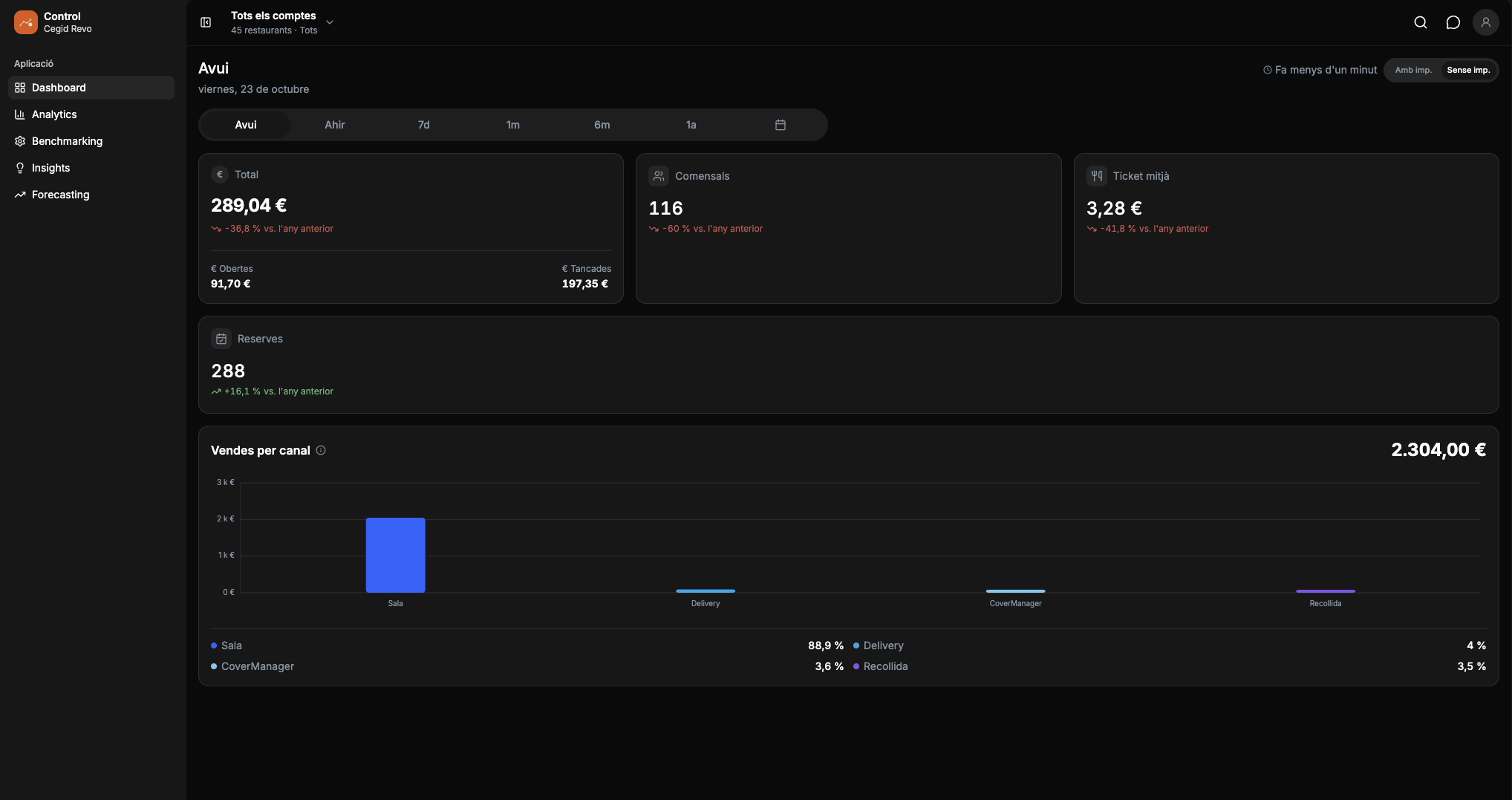
2 Moving From Control 1 To Control 2.0 (Onboarding)
If you've been using Control 1 until now, this guide explains how to move to Control 2.0. To do so, you create your Cegid User, a personal credential that you only create once, from the Control 1 app or from the back-office. With it you sign in using Single Sign-On, meaning a single sign-in for the whole Cegid Revo ecosystem.
Learn more about Single Sign-On
See the guide: Cegid Revo Control 2.0: Sign-up process (Onboarding)
3 How To Sign In
To view your data, you sign in to Control with your Cegid User. The guide explains what you need, how to sign in, how to install the app on your device and what to do if something goes wrong when signing in.
4 How It Works
Here you'll find how the data is calculated and how to use each screen step by step: account and period selectors, Dashboard, Analytics, Orders, Benchmarking, profile settings and practical examples.
5 Frequently Asked Questions
Quick answers to the most common questions about interpreting the figures, such as average ticket, diners, reservations or room occupancy.